
Buy Now
Overview
Davis Logger & Software Topics
Handling weather data on PCs & websites is covered extensively on this site – here are some links to related PC and website topics (current page is shown unlinked):
Overview of loggers & software;
Advice on PC linking
Introduction to live weather websites
Advice on weather websites
Details of the Weatherlink product
Summary of compatible software;
Various advanced topics
The optional Davis Weatherlink pack contains all you need to link a Davis weather station to a computer (Windows PC or alternative, e.g. Mac) or – in the case of the special WeatherlinkIP logger – direct to a network or to the Internet. This allows the user to store, view and analyse all logged weather data in considerable detail and over extended periods (e.g. years) and to upload your latest data automatically to a website.
The Windows software version is by far the more popular purchase and is the version assumed as the standard program in the notes below. For important additional notes on the Mac version please read the specific Weatherlink for Mac page in conjunction with the Weatherlink for Windows notes below.
While the Vantage Pro 2 and Vantage Vue consoles already have an impressive set of features for displaying current weather readings, Weatherlink offers a further extension of capabilities by:
- Storing fully detailed weather records, permanently and automatically;
- Presenting the weather data in vivid, detailed graphics;
- Providing daily, monthly and yearly summaries of conditions;
- Enabling you to build your own automatically-updating weather reporting website;
- Allowing you to work with exported weather data using other PC programs;
Below you’ll find a summary of all the standard features of the 6510 Weatherlink logger (available with either serial or USB interface) and software. In recent years, the 6555 WeatherlinkIP logger version (Ethernet interface, now discontinued) and a set of four special ‘Streaming’ Weatherlink data loggers have also been introduced. These loggers possess all the capabilities of the standard Weatherlink logger as described below, but also have various additional features, which are set out more fully on the WeatherlinkIP page and the Streaming Loggers page.
The Weatherlink software is included, free of further charge, within each logger pack. As an optional extra, you can also purchase the Weatherlink v6 annual subscription, which allows you to upload data automatically to the weatherlink.com website and to use all the additional features available there such as onward uploads to Weather Underground. This is the simplest way of uploading your data to a website – for further details please see the subscriptions page.
The standard Weatherlink logger connects by default to a single program running on a single PC. It is only this single program that can receive a live feed of weather data, although this program can automatically generate web pages that can be viewed in a standard web browser on other PCs on a network or across the Internet. However there is also a special third-party software utility called VirtualVP (read more) that can relay the live data feed to up to four client programs all running on the same PC or on different networked PCs.
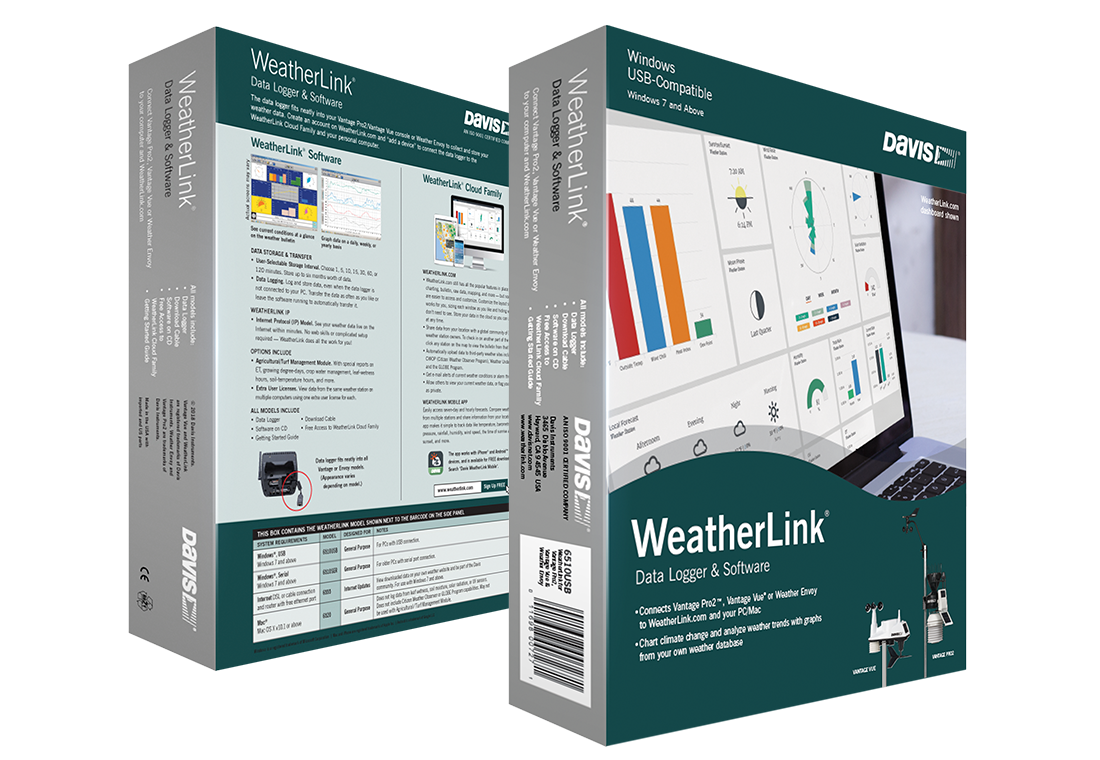
The Weatherlink pack comprises two components, each described in more detail below:
- A hardware data logger plus cable and adapter to attach to a serial or USB port on the PC (please specify serial or USB when ordering). A serial-to-USB converter is also available for existing serial port loggers.
- Comprehensive software.
Weatherlink Data Logger
USB and Serial logger types
The standard Vantage logger for Vue and VP2 stations is available with a choice of two interface types – USB (6510USB) or serial (6510SER). These are the same price and performance but are physically different logger types – your preference must be specified when ordering.
Most popular – and the default type – is the USB logger, because all PCs have USB ports whereas laptop PCs & some desktop PCs no longer have serial ports fitted.
USB ports offer high-speed data links (though weather data is small in size and so speed is not relevant) but USB is more prone to interference effects and also needs short cables.
USB loggers work well for most users, especially if you download data to a PC only at intervals. But if you wish to view live PC/website data or to use longer (>2.4m) cables then, for maximum resilience, consider using a serial logger – in conjunction with a serial-to-USB adapter if your PC only has USB ports. Please ask us for further advice on this topic.
 All Davis stations must link to a PC via the Weatherlink data logger module, which provides the key benefit of storing weather data for extended periods, even in situations when the linked PC is switched off or even when no PC is connected. Alternatively, if a PC is connected and switched on, the latest data can be passed directly from logger to PC for immediate display. Users therefore have the option either of viewing current data directly on the PC screen or of downloading stored data from logger to PC at a date and time of their choosing – to an automated schedule if preferred. To be fully clear, it is not possible to connect a Davis console direct to a PC without using the Weatherlink logger as an interface. And the VP2 Envoy console also still needs a Weatherlink logger in order to perform any useful function.
Weatherlink loggers are only available in a standard pack which also includes a free copy of the Weatherlink software – there is no option to buy logger without the free software CD. Users may of course choose to run third-party software in place of the Davis software if they wish.
There are several types of Weatherlink logger, which fall into two groups: the standard loggers and the advanced loggers. Within the standard loggers are two pack types, one for Vantage Pro 2 and Vue stations and the other for the Wizard stations, with quite different physical designs of logger: (The advanced loggers are described on other pages – our WeatherlinkIP page is a good starting point for further reading.)
 The Vantage Pro/Vue logger (left) is a small module that attaches neatly to a recess on the back of the VP console and can store up to 2500 data records. (One record is a complete set of readings from all installed sensors at a given time point. The interval between records may be selected from pre-set times ranging between 1 and 120 minutes.)
Weatherlink Software
This page is for the older and local version of WeatherLink. For the new WeatherLink 2.0, the updated and modern looking version, please click here. For the data logger introduction, click here.
Introduction
 The Weatherlink software is much more than a basic data logging program and offers a substantial number of sophisticated features, including the capability to run a live weather reporting website. The software is professionally produced, robust and, after a little familiarisation, easy to use.
There’s space here only to describe the software briefly, but to give you a flavour here are a composite screen image and a summary of the key features of Weatherlink. A broader discussion of the benefits of linking a station to a PC and of the Weatherlink details will be found on our PC linkage advice page.
This image shows four of the principle Weatherlink windows: Browse; Plot; Strip Charts; and Bulletin in a tiled composite image. Each of these windows and others can be individually displayed full-screen for maximum clarity.
Weatherlink Software: Key Features
- Detailed weather data is stored in long‑term database files on the PC hard drive, one month’s data per file;
- A text listing of all stored records may be displayed and edited in Browse mode;
- Bulletin mode offers an auto-updating colourful graphical snapshot display of all main weather readings;
- Strip Charts mode provides a graphical tool for monitoring the trend of multiple parameters in close to real time;
- Plot mode is a comprehensive charting module for detailed presentation and comparison of all stored data;
- The Summary window provides an auto-updating daily text summary of conditions with highs and lows etc;
- Text Reports provide Monthly and Yearly summaries with appropriate calculated statistics;
- Weatherlink provides comprehensive features for running an automatic weather reporting website for either local (Intranet) or public (Internet) use, with webpages able to contain text values, graphics and trend graphs (see below);
- All settings on the weather station console may be controlled from the PC;
- Logged data may be exported in a variety of text formats for easy compatibility with other eg spreadsheet programs;
Sample web page
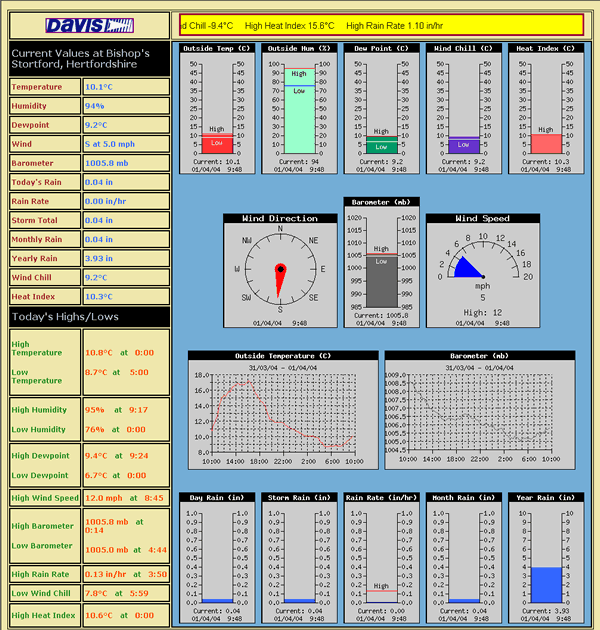 This image shows a reduced-size sample webpage of the type that Weatherlink can create and maintain automatically. This example shows a standard layout of text and graphic elements and is one of the templates supplied free with the software for instant use. But users familiar with laying out web pages can readily create their own designs and use those particular readings and graphic elements of their own choice.
More information about the web pages that can be created with the Weatherlink program can be found on relevant Advice page.
NB This is an example of a default web page template generated by the Davis Weatherlink software. There are many different data presentations possible by using alternative compatible software packages such as Cumulus and Weather Display – please see the examples page.
Further comments
The latest versions of Weatherlink (v6.0 and later) are compatible with all Davis stations, ie Wizard and the discontinued WMII models, as well as Vantage Pro and Vantage Vue models (although because of the more limited capabilities of the Wizard stations, not all software features will be available with the Wizard Weatherlink).
As from Weatherlink v6, users have the option to upload data to the central Davis server at www.weatherlink.com which gives essentially the same benefits as described on the WeatherlinkIP page. Note that using this service with a standard (eg USB) Weatherlink logger requires running a local PC and an annual subscription for use of the service. Further details are available on our subscriptions page.
Our specialist knowledge of linking weather stations to PCs enables us to offer expert advice on using Weatherlink as a source of data for other applications and for custom software application. Please feel free to contact us for further discussion.
Buy Now